You've already put the work into creating your document. Simplebooklet helps you turn it into something people actually want to read, with an easy way to donate, get involved or learn more. And you'll know what caught their attention, so you can make the next one even better.
Nonprofits get 50% off Pro and Business plans. Free plan available to start.

Between grant applications, fundraising events and the next board meeting, finding time to put together an annual report is hard enough. Knowing whether anyone actually engaged with it shouldn't be another challenge.
You'll find out at the next meeting. Maybe.
the silence after you hit sendThe PDF lives on a page donors don't visit, and reading it on a phone means pinching and zooming.
where good reports go to hideYou want something that looks professional. But every dollar spent on design is a dollar you have to justify.
another expense to explain to the boardYou're still pulling together the numbers, sponsorship tiers and event details. And somehow, it all needs to look ready to send.
every deadline is the most urgent oneEvent day starts with a pen and a lot of crossing out.
printed means permanentWhich story held their attention? Which page did they skip? You're already planning next year's report without knowing what worked in this one.
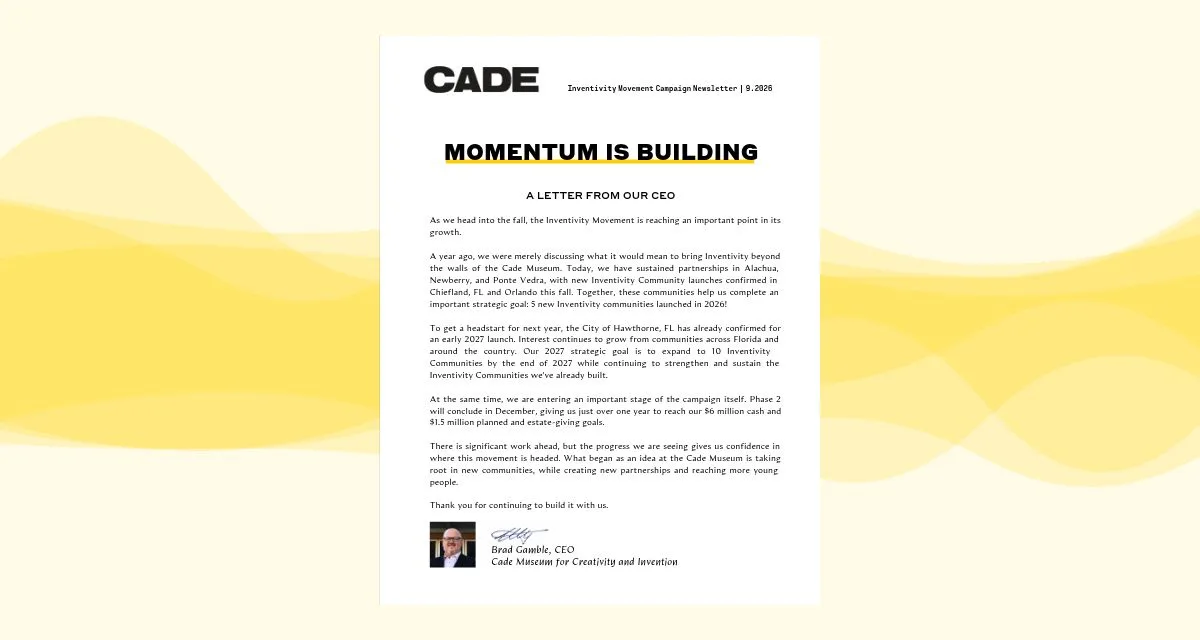
you can't improve what you can't seeThe Cade Museum for Creativity and Invention uses Simplebooklet across its whole organization: the annual report donors read, the impact report that shows supporters what they made possible, the package that brings in sponsors, and the brochures that recruit volunteers and book school field trips.
Featured · Cade Museum for Creativity and Invention
Share your organization's impact
Donate button in the navbar, one tap from any page (Pro)
Links on any page to register, volunteer or learn more
Every open, page view and click shows up in your reports
More from the Cade Museum
From upload to insights in four simple steps. No designer or developer required.
Step 1
Upload a PDF or publish directly from Canva or Adobe Express. Simplebooklet turns your existing document into an interactive experience, so you don't have to start from scratch.
Step 2
The AI Expert recommends improvements to your colours, logo and navigation. It recommends. You decide. Then share one branded link and QR code anywhere.
Step 3
Add links to donate, register or volunteer on any page, on every plan. For your most important ask, turn the navbar's custom button into a Donate button that stays one tap away on every page (Pro).
Step 4
Walk into the board meeting with answers. See how many people opened your report, which pages held their attention and how many clicked Donate. Your AI Insight Report (Basic and up) tells you what to change next time.
Need to bring your engagement data into another report or system? Download your Performance Data File, use an AI assistant like ChatGPT, Claude or Copilot to help combine or format the information, and prepare it for tools like Salesforce or your existing CRM.
No API keys. No integration project.
Development needs a sponsorship package. Programs needs an event guide. Leadership needs the board packet by Thursday. They shouldn't all have to wait on one person. With Simplebooklet Business, everyone gets their own account to create, share and update documents, all under the same brand.
Development
Send it Friday. See which pages held their attention by Monday.
Programs & events
Share results as they come in. Update the schedule from your phone.
Member services & support
Answer the question once. Share the link forever.
Leadership
Share it before the meeting. With Require Verified Email (Business), you can see which board members opened it and when.
You don't need to do everything at once. Pick one and build from there.
If donors skim and forget your annual report
Share it with one link, keep your Donate button one tap away and see which pages donors actually spent time on.
See the Cade Museum's annual reportIf you need to show donors what their gift did
Turn your impact report into something supporters can explore, with stories, photos and results that stay up to date as new milestones come in.
See the Cade Prize Impact ReportIf sponsors need a reason to say yes
Send one link to every prospect and see which pages held their attention. Add a lead gate (Pro and up) to see who's interested before you follow up.
See the Cade Museum's sponsorship packageIf your event program is outdated before doors open
One QR code on the table. Schedule changes? Update it once and every guest sees the latest version.
Each one has its place. Here's what your team actually gets from each.
| PDF on your website | General flipbook tool (e.g., Flipsnack, Issuu) | Simplebooklet | |
|---|---|---|---|
| Reading on a phone | Often means pinching and zooming. | Varies by provider. | Built for mobile, with page-flip and navigation you can adjust for each device. |
| Moving readers to give | Links, if you add them. | Links and buttons vary by provider. | A Donate button one tap away on every page (Pro and up), plus links anywhere you want them. |
| Knowing what worked | Usually just download counts from your website. | Analytics vary by provider and plan. | Opens, time per page and clicks, plus AI Insight Reports with recommendations for next time (Basic and up). |
| Knowing who read it | Can't identify individual readers from the PDF alone. | Lead capture varies by provider. | Names or emails, plus open activity, with a lead gate (Pro and up) or verified emails (Business). |
| Getting the whole team publishing | Depends on who can update the website. | Team access varies by plan. | Unlimited team accounts at no extra cost (Business). |
| Looking professional without a designer | Only as polished as the original design. | Templates vary by provider. | The AI Expert recommends branding and navigation improvements. You decide. |
| Using your results elsewhere | No reader engagement data to export. | Exports and integrations vary by provider. | Hand your Performance Data File to any AI assistant and bring the results into your CRM. No API keys (Basic and up). |
| When it makes the most sense | When you need a file to print, download or archive. | When you want a classic page-flip look. | When you want every reader to act and your team to know what worked. |
Features and plan availability vary by provider. Comparison reviewed October 2026.
For individuals creating and sharing nonprofit documents.
For teams creating, sharing and managing documents together.
For organizations with IT and security requirements.